
Note: release v2.5.0.4 introduced enahnced timescales, including month numbers, see this article: Turbo-Chart updated Timescale Settings
For releases earlier than v2.5.0.4 see notes below.
At present Turbo-Chart does not have the ability to add month numbers to the date axis. However a workaround is to use the Highlighters feature to add labels adjacent to the Date axis.
View the CHART>HIGHLIGHTERS section to see how Highlighters can be used to add labels along the date axis:
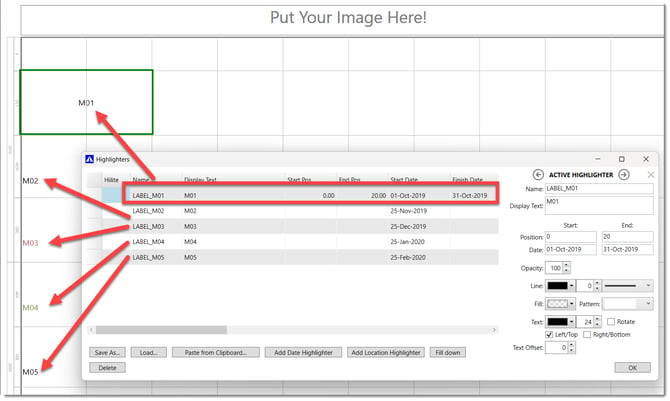
As you may need quite a large number of these labels, you can import the Highlighters from a list in Excel, see this article: Can I extract data from Turbo-Chart?
Also download this sample Turbo-Chart file that includes the above highlighters.