|
Step |
Action |
|
1 |
Launch Turbo-Chart (or Ensure all files are saved if already open) |
|
2 |
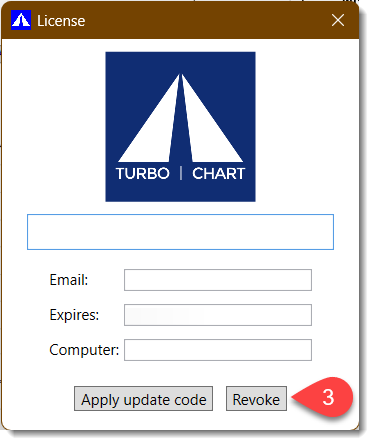
Go to HELP>LICENSE on the menu |
|
3 |
Click on “Revoke” which will return the license to the Server
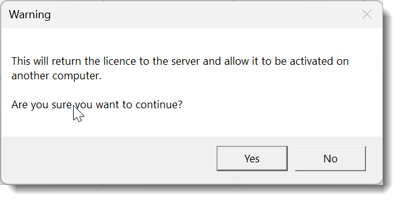
The warning below will appear, click on Yes
Turbo-Chart will then close down
|
|
4 |
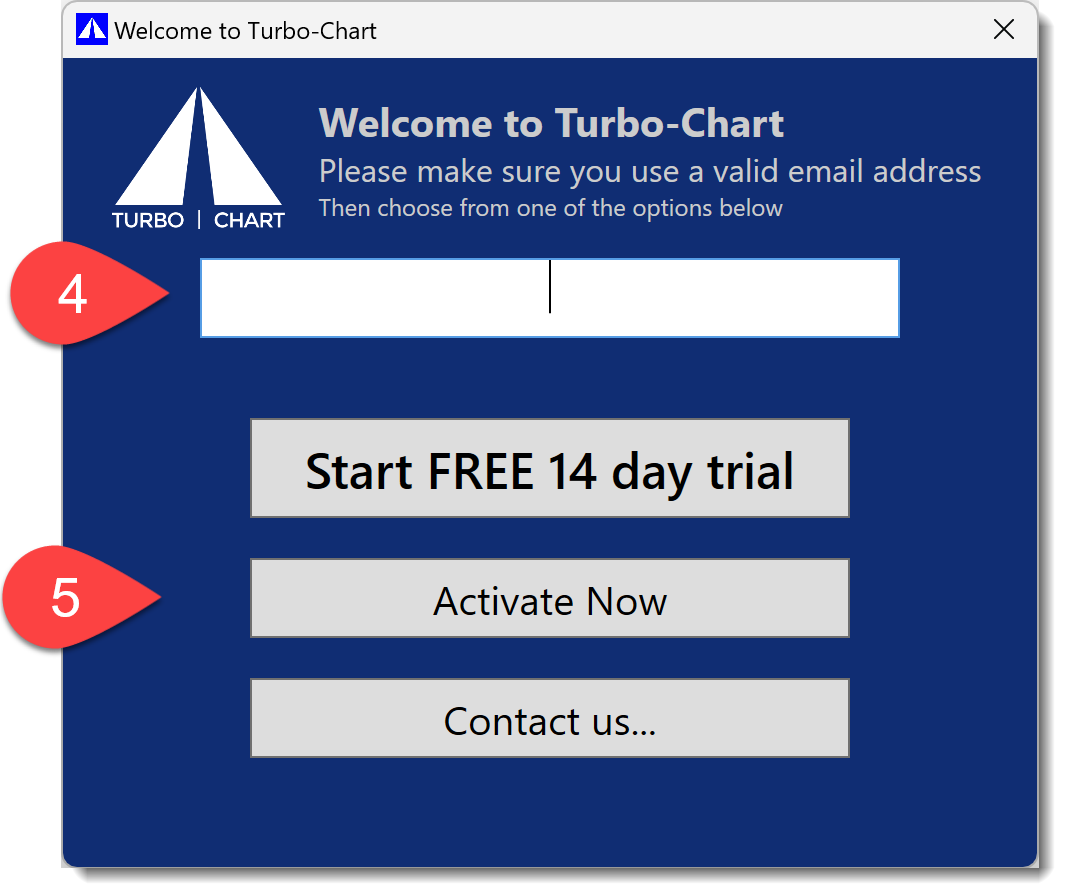
Restart Turbo-Chart, the welcome screen below will be shown. Ask user to enter the email address for the license they are using.
|
|
5 |
Click on Activate Now to see the License Activation window: |
|
6 |
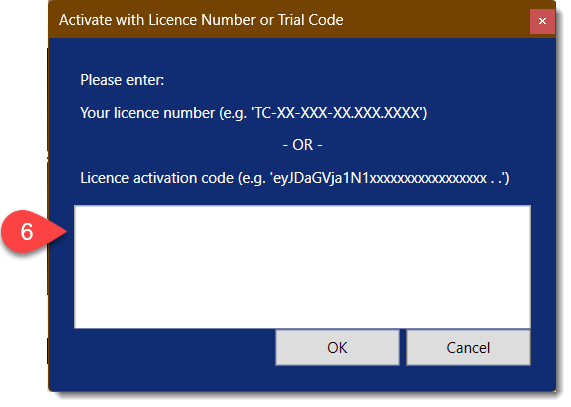
COPY/PASTE the License Code provided and press OK
|
|
7 |
You should see a success message and then be able to continue using Turbo-Chart |
English