v2.5 and later of Turbo-Chart allow different line styles to be used to represent work. When selecting Line as a style for ShapeCode the following options are now available:
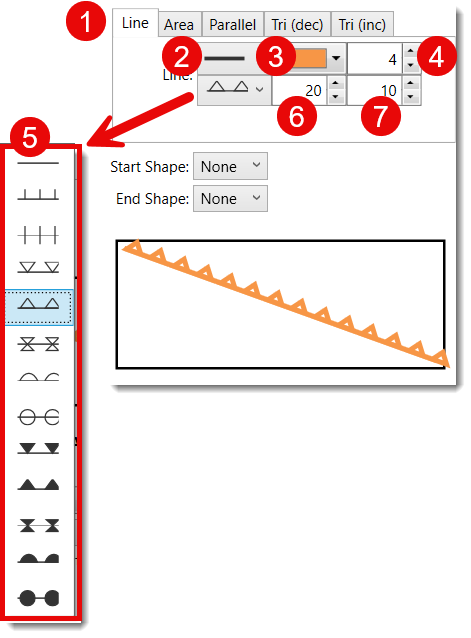
- When Line is selected as the Style to apply to a ShapeCode
- Select solid, dotted or dashed lines
- Select a colour for the line style
- Select a thickness for the line style
- Select the shape style to include on the lines
- Select a value for spacing between shapes on the line (Default is 20)
- Select a value for the size of the shapes on the line (Default is 10)
The selected LineStyle is applied to all activities using that selected ShapeCode across all charts
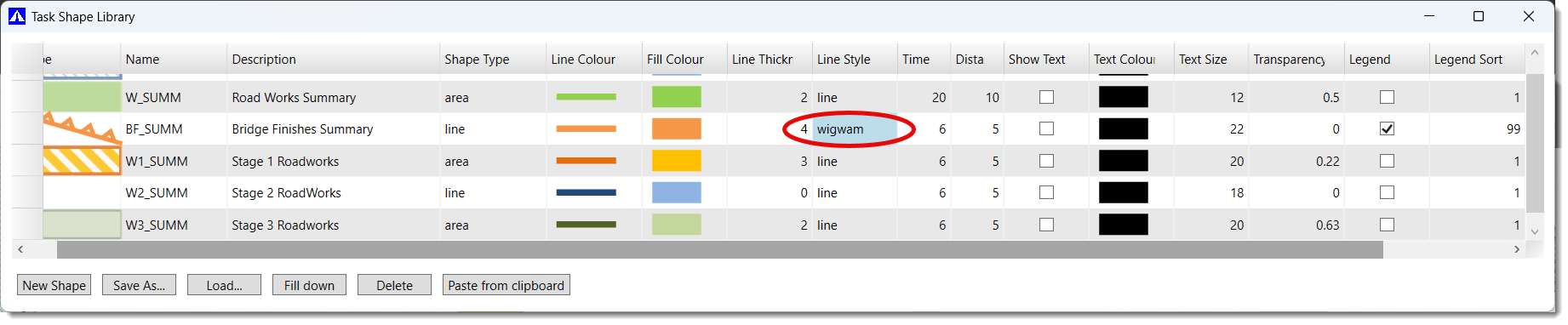
Selected LineStyles can also be viewed in the Task ShapeLibrary, from the DATA>TASK SHAPE LIBRARY Menu: